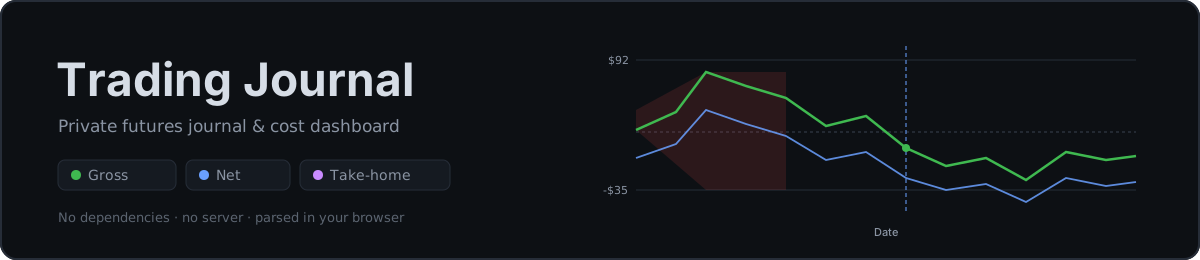
A fast, private futures trading journal and true-cost dashboard.
Import your broker CSV and see real, after-cost, after-tax performance — everything runs in your browser.
Private by designYour trades are parsed and stored locally. Nothing is uploaded.
True cost & tax modelPer-symbol commissions, data fees, and a Section 1256 tax estimate.
Journal & analyzeCalendar, equity curve, filters, day-notes, and deep statistics.
SCROLL ↓
Features
Everything in one private dashboard
Blotterbook turns a raw broker export into an honest picture of your trading — gross, net of every fee, and after an estimated tax bill. No accounts, no uploads, no dependencies.
Cost intelligence
Brokers & feeds vs. real PnL
Flip commission tiers and data feeds; watch your net move across your real history.
Tax planning
Location-based estimates
A Section 1256 blend on positive net profit, by state — know it long before April.
Business budgeting
Break-even before you trade
Subscriptions + commissions become a break-even-per-trade and a clear cost waterfall.
Discipline & review
Journal every session
Day-notes, equity-curve markup, and stats by session and weekday to find your edge.
Private by design
True after-cost performance
Location-based tax model
Broker & data-feed comparison
Equity curve & calendar
Filters, journal & statistics
Private by design
Your CSV is parsed and stored entirely in your browser via IndexedDB. Trade data never leaves the page — the only network calls are the app's own reference data.
The pitch: profit calculator & budgeting tool + a private trade journal — without a single byte leaving your browser.
Supported platforms
Bring trades from the platform you already use
Blotterbook auto-detects your export's format and normalizes it — your broker is a
separate, cost-only setting. TradingView is verified against real exports; the others are
in beta, built from each platform's documented format and exercised with synthetic test
data. Step-by-step export guides live in the How To.
Tested on real exportsBeta — built from docs & synthetic tests; verify the numbers
Pricing
Free for everyone. Support if it helps.
Blotterbook is free for everyone — the whole CSV-driven app, no account, nothing uploaded. If it saves you money, back the project with an optional donation. Cross-device synced workspaces are coming as a low-cost add-on.
Available now
Blotterbook
The full app, free for everyone — no account, nothing uploaded, runs in your browser.
Free
Full journal, cost model, and tax estimate
Live broker, fee, and feed reference data
Everything runs locally in your browser
No sign-up required to use the app.
Optional
Back the project
Pay-what-helps support that keeps Blotterbook free and funds new features.
$25 one-time
$50 / year
Keeps the free app free for everyone
Funds adapters, analytics, and fixes
Supporter recognition (planned)
Donations open soon — secure checkout via Stripe.
Planned
Synced workspaces
End-to-end-encrypted sync of your trades, notes, tags & saved filters across devices.
$5 / month
Use Blotterbook on all your devices
Zero-knowledge: we still never see your data
No more re-uploading CSVs per device
Not ready yet — on the roadmap.
FAQ
Questions, limitations, and the fine print
Blotterbook is deliberately honest about what it does and doesn't measure. Here's the straight version.
What data does Blotterbook need, and where does it go?
It reads a balance-history CSV exported from TradingView. Required columns are Time, Realized PnL (value), and Action; each row is treated as one position-close event. Everything is parsed and stored locally in your browser via IndexedDB — your trade data never leaves the page.
Do I need an account, and is anything uploaded?
No account, no sign-up, nothing uploaded. The only outbound network call is loading the app's own reference-data JSON (brokers, fees, feeds, state tax). Use Manage data any time to back up, edit, or wipe everything stored in your browser.
How are commissions and fees calculated?
For each symbol, the all-in per-side cost is the broker's commission (micro or standard tier) plus the CME exchange, clearing, and NFA fee. A round turn is two sides. Broker rates come from editable reference data, so they can be kept current and may drift from your real fills — they're a close model, not your statement.
How does the tax estimate work?
It uses a Section 1256 model: a blended rate of 60% long-term and 40% short-term federal rates plus your selected state's top marginal rate, applied to net pre-tax profit only when positive. It's a rough planning estimate to gauge take-home — not tax advice, and not a substitute for a professional.
Which brokers and instruments are supported?
Modeled brokers include AMP, EdgeClear, Tradovate / NinjaTrader, Optimus, Charles Schwab (thinkorswim), Interactive Brokers, and TradeStation. Instruments are CME futures, reduced to a root ticker (for example MESM2025 becomes MES). Unknown symbols fall back to a default fee and are flagged.
What are the known limitations?
Drawdown is realized-only from the closed-trade curve, with no open-position heat. The export carries close timestamps only, so holding time isn't derivable. Calendar-day and RTH/ETH session grouping use the literal timestamp, not the CME session day. Sharpe is illustrative — daily PnL, population standard deviation, not annualized.
Will my data sync across devices?
Not today. Local storage is per-browser, so data isn't synced across devices and is cleared if you clear site data — keep your original CSV or a backup. Re-uploading is safe: trades are de-duplicated by a stable id, so overlapping exports only add genuinely new rows. Cross-device synced workspaces (end-to-end encrypted, ~$5/month) are the one planned paid add-on — see Pricing.
What does it cost?
The app is free for everyone and stays free. You can optionally back the project with a $25 one-time or $50/year donation (checkout via Stripe, coming soon). The only planned paid feature is synced workspaces — end-to-end-encrypted cross-device sync at about $5/month — which isn't ready yet. Nothing else is gated.